


Retargeting of campaigns
Retargeting of campaigns
Last update
What is campaign retargeting?
Campaign retargeting is a feature that allows you to generate a new campaign based on the current results of contacts, according to the tags they already have. Instead of re-tagging contacts, you take advantage of the already assigned status to decide which contacts to include in the new campaign and with what treatment, intelligently pre-configuring their recontact.
In other words:
Contacts already have tags that reflect their status (for example: "confirmed", "canceled", "modified", "no response", etc.).
By activating retargeting, you can create a new campaign that inherits the desired configuration (messages, parameters, rules) from a base campaign.
This new campaign will draw from the tagged contacts in the source campaign, but filtered or segmented according to their current tags.
What is it for?
Here are the most relevant uses of campaign retargeting with already tagged contacts:
Recontact lost or unresponsive contacts
You can launch a campaign directed solely at those contacts who never responded (tag "no response"), applying a different message, a reminder, an incentive, or a variant approach.Recover customers who canceled or modified
Contacts with tags like "canceled" or "modified" can receive a new campaign with alternative offers, new dates, incentives, etc., to try to reverse the initial decision.Reinforce partial or pending confirmations
Some contacts may have an intermediate status (for example, "pending confirmation"); with retargeting, you can send a new push or follow-up specifically for that segment.Optimize resources and effectiveness
By working only with predefined segments (tags), you focus your efforts where there is a higher probability of success, avoiding contacting contacts who are already concluded or irrelevant.
A/B testing of strategies by segment
You can launch multiple retargeting campaigns, each with variations (messages, conditions, timings) for different segments, and compare their performance.Continuity of the customer relationship
This type of retargeting allows you to maintain a finer and more tailored communication cycle: not all contacts receive the same treatment, but the one that corresponds to their real status.
How it works from the interface (user view)
Here is a simplified guide on how to use retargeting in your application:
In the campaigns panel, select an existing source campaign.
Click on “Retargeting”.
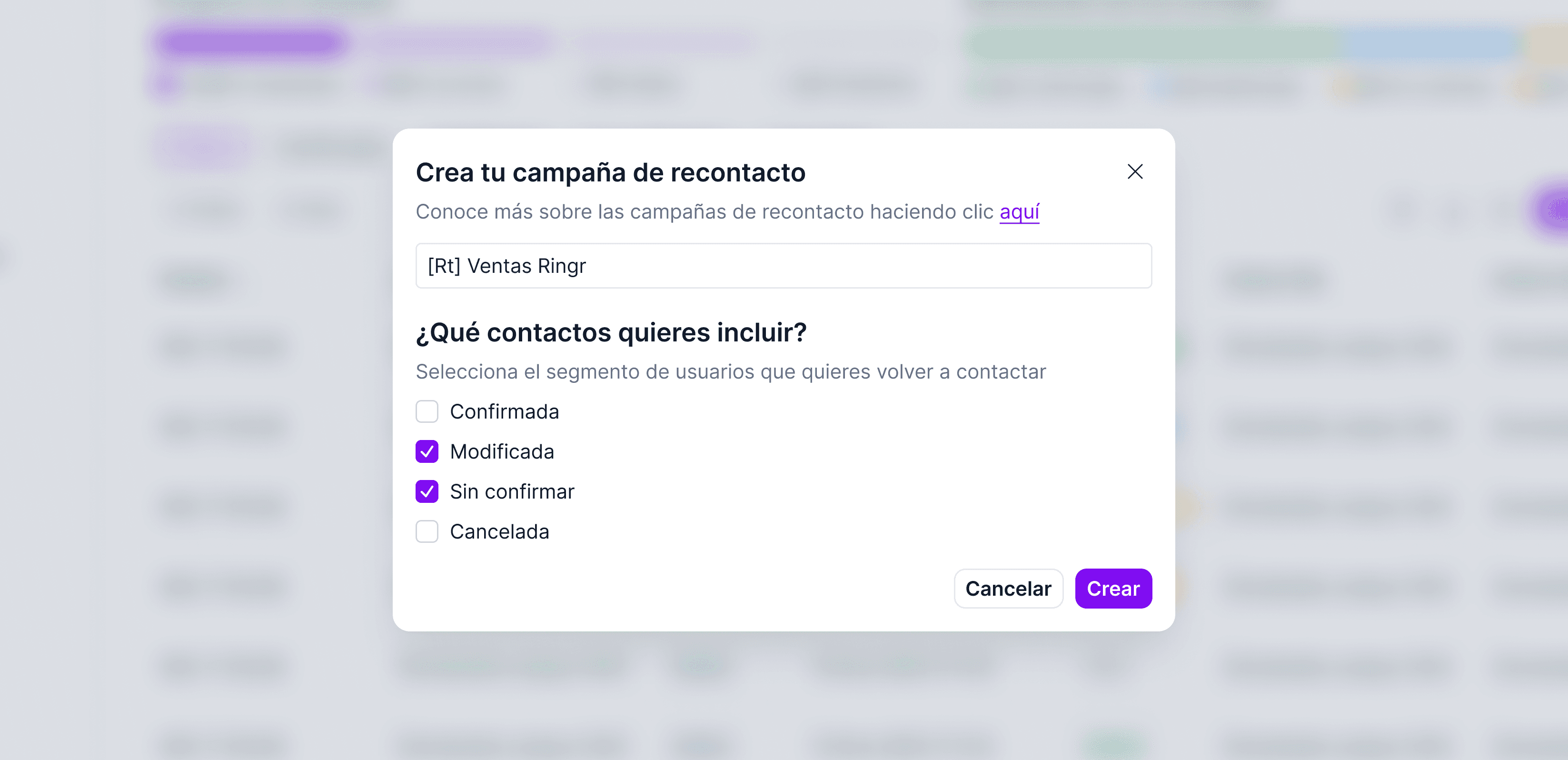
A form will open to write a campaign name
In the segments / filters section, you choose which tags to include (for example: "no response" and "canceled")
You start the retargeting campaign.